Ableton3 min read
TracksBuilder v0.6: Arrangement View Builds Are Here
The biggest TracksBuilder update yet adds Arrangement View builds, section markers from the guide track, and 30-40% faster build times.
Keegan Ryan
TracksBuilder v0.6 is a major update.
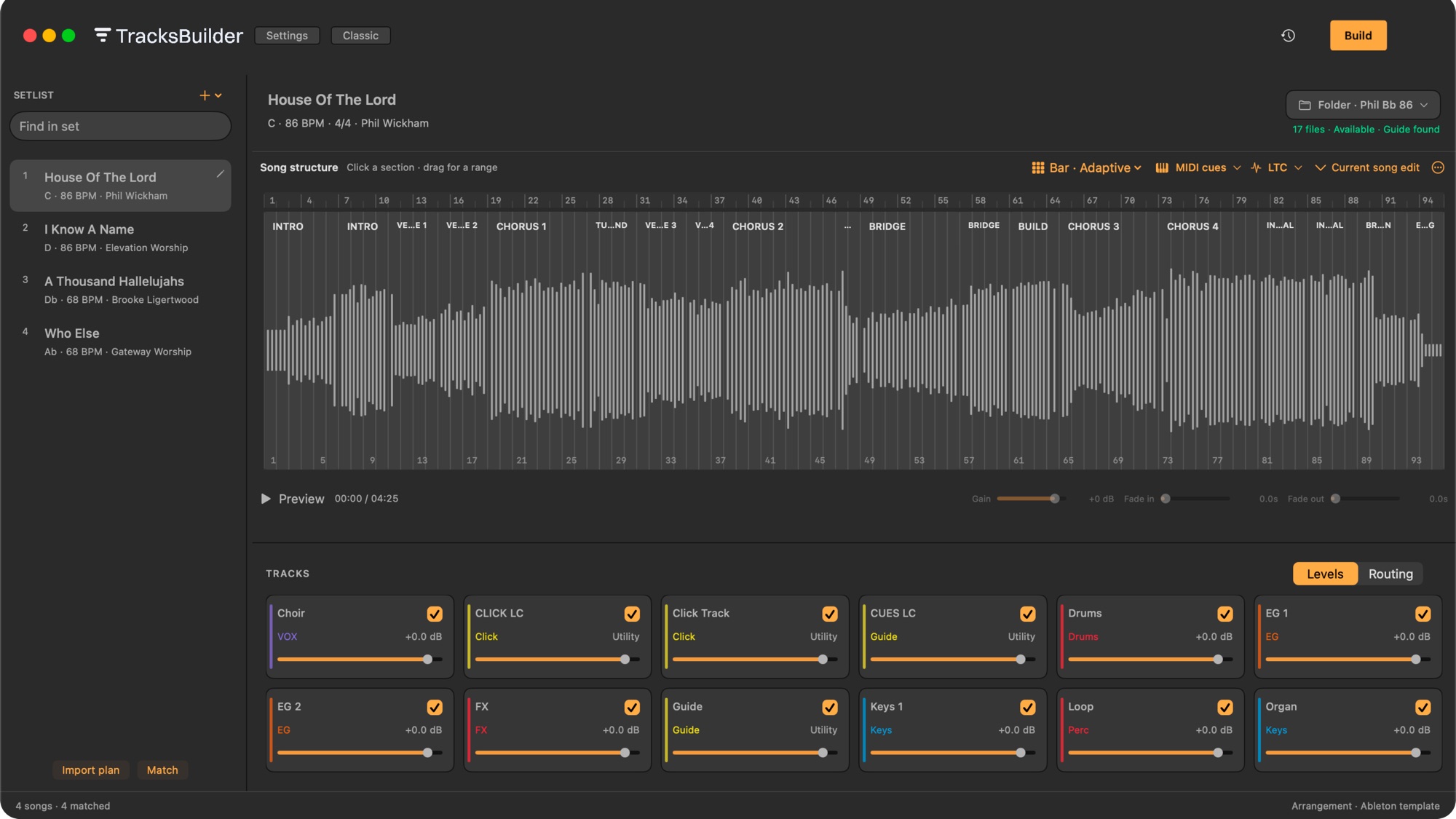
The headline is simple: TracksBuilder can now build multitrack sessions in Ableton Arrangement View, not just Session View. That means users who want a timeline-based workflow can now get the same automation, speed, and consistency that made TracksBuilder useful in the first place.
For worship teams, production teams, bands, and anyone building backing tracks in Ableton, this adds a whole new layer of flexibility without taking away the speed of the existing Session View workflow.
What v0.6 actually adds
The biggest addition is full Arrangement View build support for Ableton Live 11 and 12 on macOS 13+.
That means TracksBuilder can now take the same job it was already doing in Session View and build it into Arrangement View for you, including:
- Multitrack placement in a timeline-based layout
- Song markers and section locators generated from the guide track
- More consistent grouping and routing behavior during the build
If you like editing songs directly in the timeline, duplicating sections, trimming transitions, or jumping between parts of a song during playback, this is the update that makes that workflow far more practical.
Why Arrangement View matters
Session View is still excellent for fast playback builds. But many teams want more than scene launching.
They want to:
- See the full song from left to right
- Jump to a verse, chorus, or bridge quickly
- Make edits without rebuilding everything manually
- Keep the same structure across the whole set
Before v0.6, that usually meant doing more manual work inside Ableton after the build. With v0.6, TracksBuilder now handles far more of that setup automatically.
The speed improvement is not small
This release also makes TracksBuilder meaningfully faster.
Session View build times improved by roughly 30 to 40 percent, and Arrangement View now lands near that same speed range.
In practical terms, if a build used to take around 8 minutes for 3 songs, it can now finish in under 5 minutes.
That kind of difference matters when you are preparing a service, a rehearsal session, or a last-minute set change and just need Ableton to be ready.
Cleaner behavior during the build
v0.6 also includes a few important cleanup changes that make the app feel more predictable:
- Arrangement builds are now the primary stability focus
- Grouping and routing behavior is more deterministic
- The old Control MIDI setting was removed from Build Settings
- Section helper clips are still created when needed
TB Endhelper clips no longer write MIDI notes- TracksBuilder now tries to keep
TracksBuilder Controlrouted toNo Output
Most users will not care about every implementation detail here. They will care that builds are cleaner, less fragile, and more consistent from set to set.
What this means for real teams
If you are building playback for a worship team, production team, or band, v0.6 gives you three concrete benefits:
1. More workflow freedom
You can stay in Session View or move into Arrangement View based on how your team actually works.
2. Less manual setup
Markers, section locators, grouping, and routing are handled with much more automation than before.
3. Less waiting
Faster builds mean less dead time between choosing a setlist and having a usable Ableton session.
Compatibility
TracksBuilder v0.6 supports:
- macOS 13+
- Ableton Live 11
- Ableton Live 12
Bottom line
TracksBuilder v0.6 is the biggest release so far because it does not just polish the existing workflow. It expands it.
You can now build into Arrangement View, get section-aware locators from the guide track, and finish builds much faster than before.
If your team wants Ableton-level flexibility without spending extra time doing repetitive setup by hand, this is the update that pushes TracksBuilder much further in that direction.
Try TracksBuilder Free for 14 Days
Build cleaner Ableton sessions faster, with less manual setup and more consistency for your team.